Software
Every screen ships with the Vorex App.
Set up on site in minutes, with nothing to install. Use it as a locked kiosk for your controller’s own page, or run BACnet graphics drawn in the portal.
Kiosk
- The screen opens your controller’s own page.
- It locks to that page, and comes back to it after every restart.
- An engineer PIN is needed to change the setup.
BACnet graphics
- Scans the network and finds every controller it can reach.
- Live plant pages, with alarms.
- Overrides with read-back and a timed return to Auto.
- A portal where engineers draw the pages and send them to screens.
Kiosk
The screen opens your controller’s page, locked.
Any controller that serves an HTML5 page over http or https works. Enter its address, add a port or a path if it needs one, and turn the lock on.
- Address, port and path on one screen
- On-screen keypad for the controller’s address
- Engineer PIN to leave the locked page
The PIN comes with your order paperwork. It is never printed on this site.
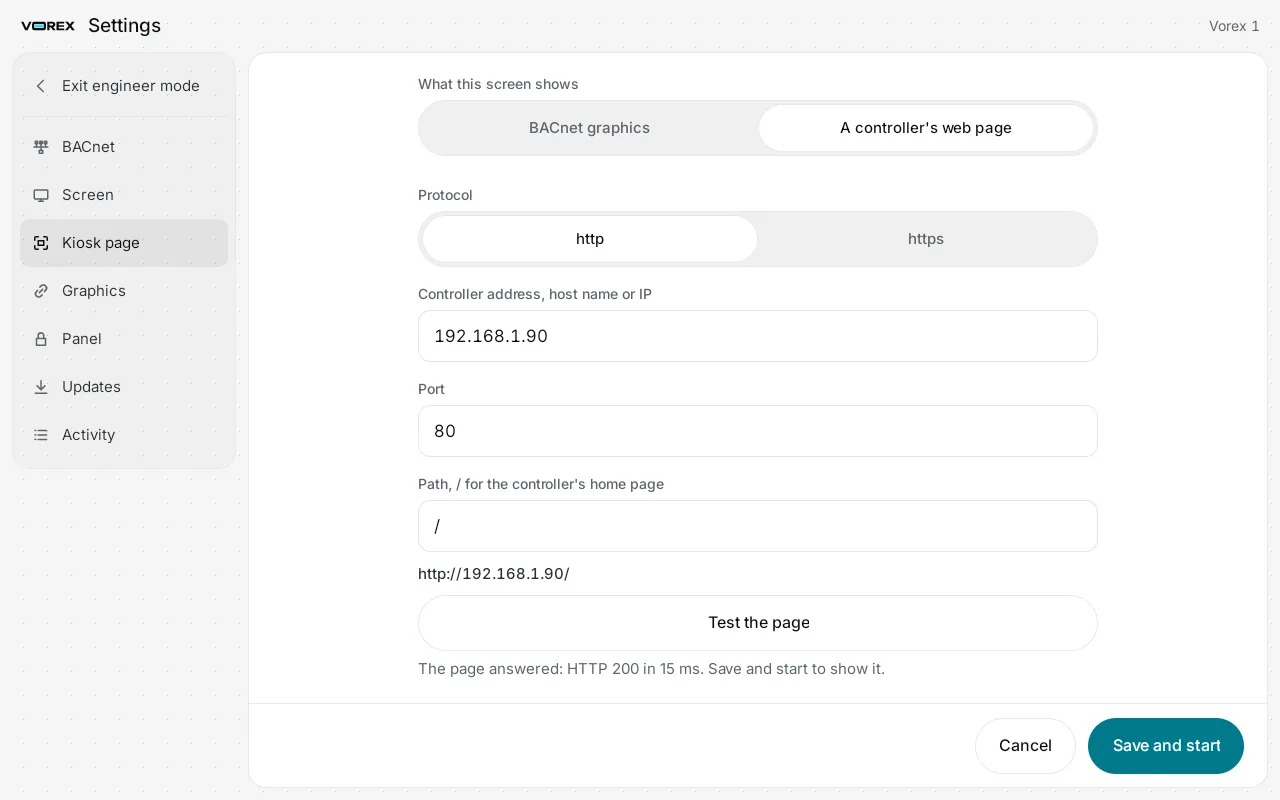
Setting the kiosk page on the screen itself.
BACnet graphics
Live plant pages, run on the panel.
With no supervisor on site, the screen talks BACnet to the controllers itself.
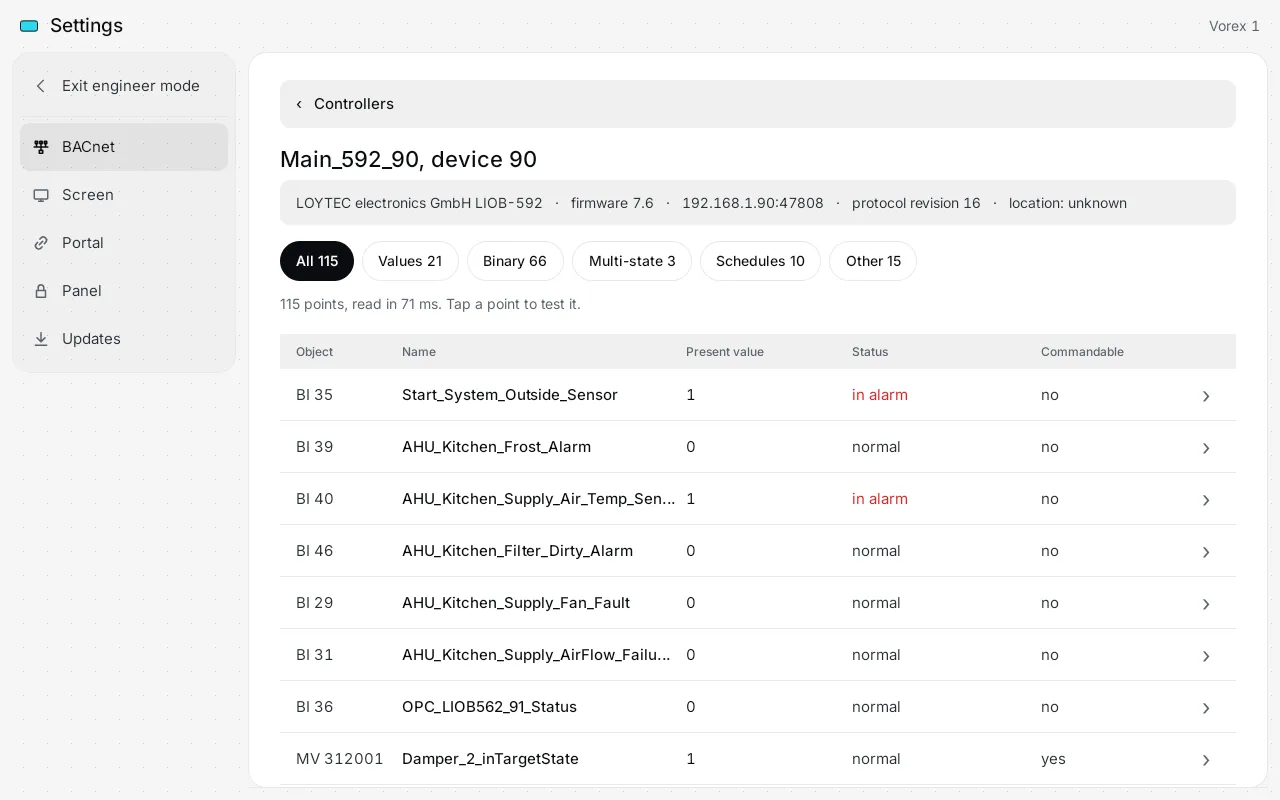
Scan the network.
One tap and the screen lists every controller on its network, with its address and how fast it answers. Tap one to see its points.
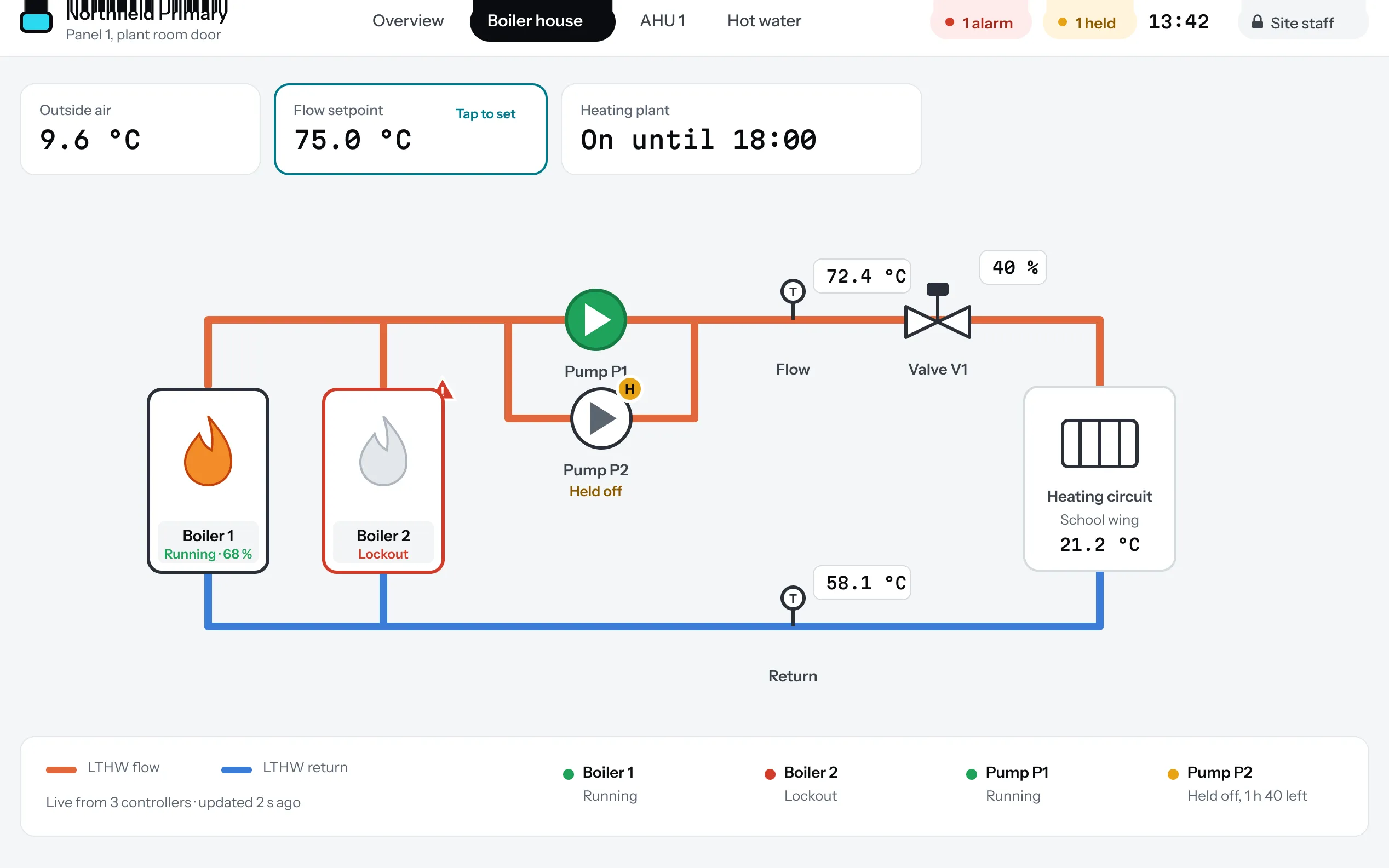
Plant pages and alarms.
Pages drawn in the portal show live values, state and alarms. Several pages sit behind tabs, so one screen covers a whole plant room.
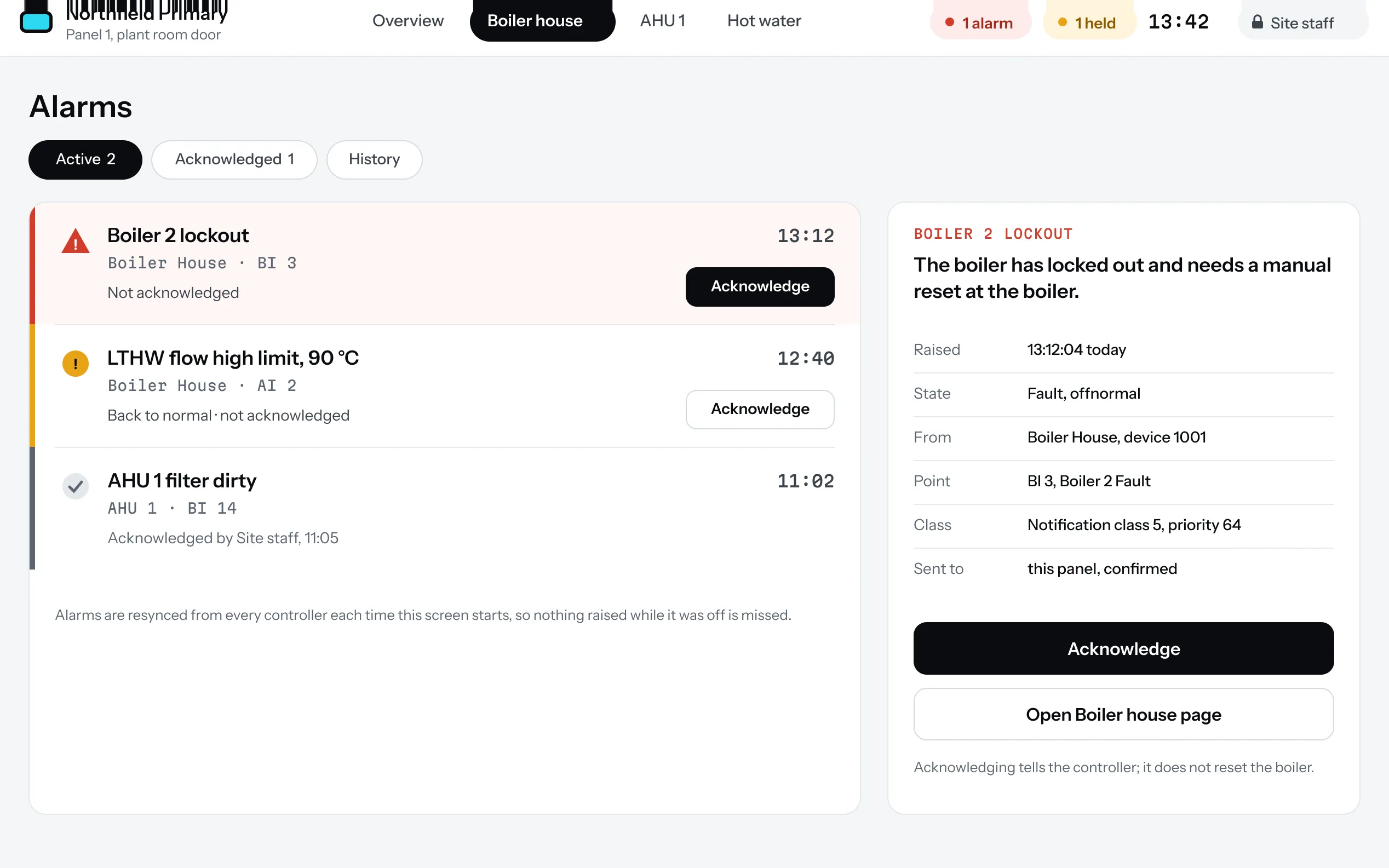
Alarms you can act on.
Active alarms say what failed, when and where. Acknowledging at the screen tells the controller; it does not reset the equipment.
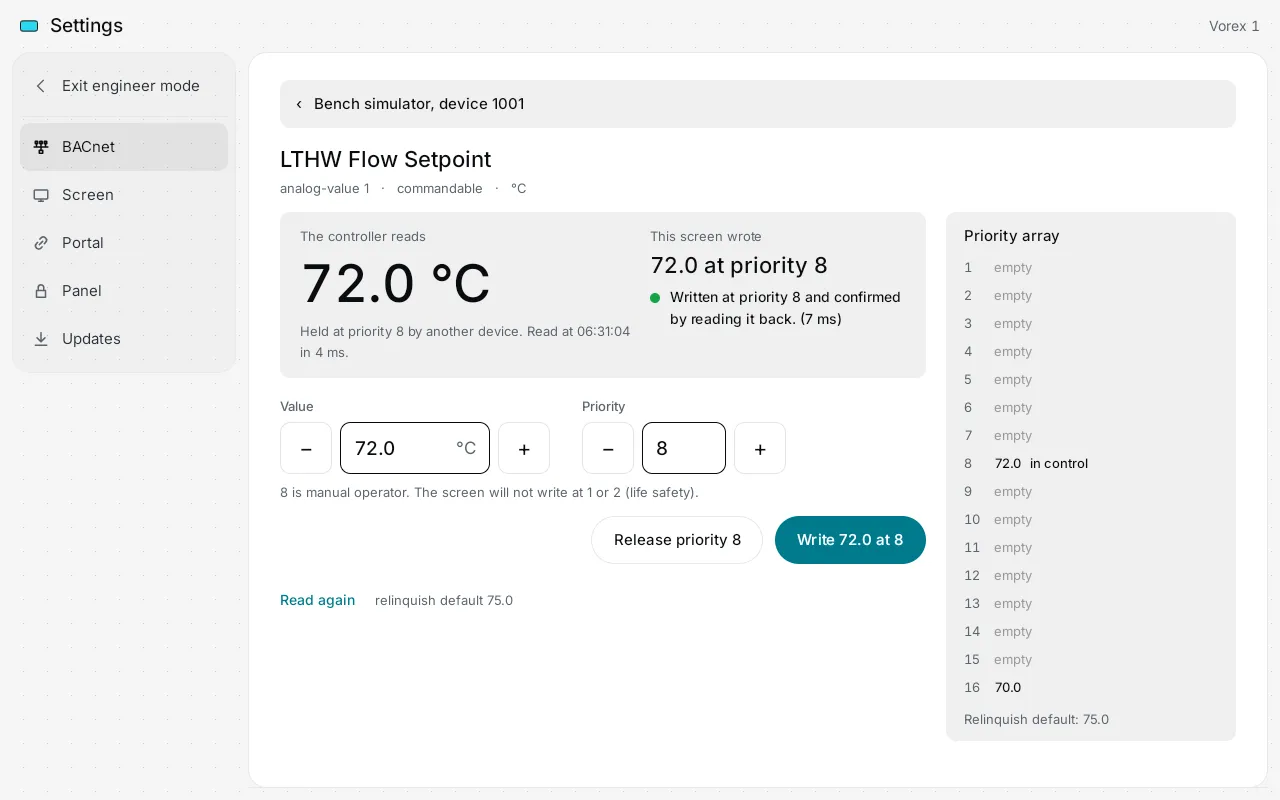
Overrides that read back.
Write a value and the screen reads it back from the controller to prove it landed, and shows the priority array so you can see what is in control.
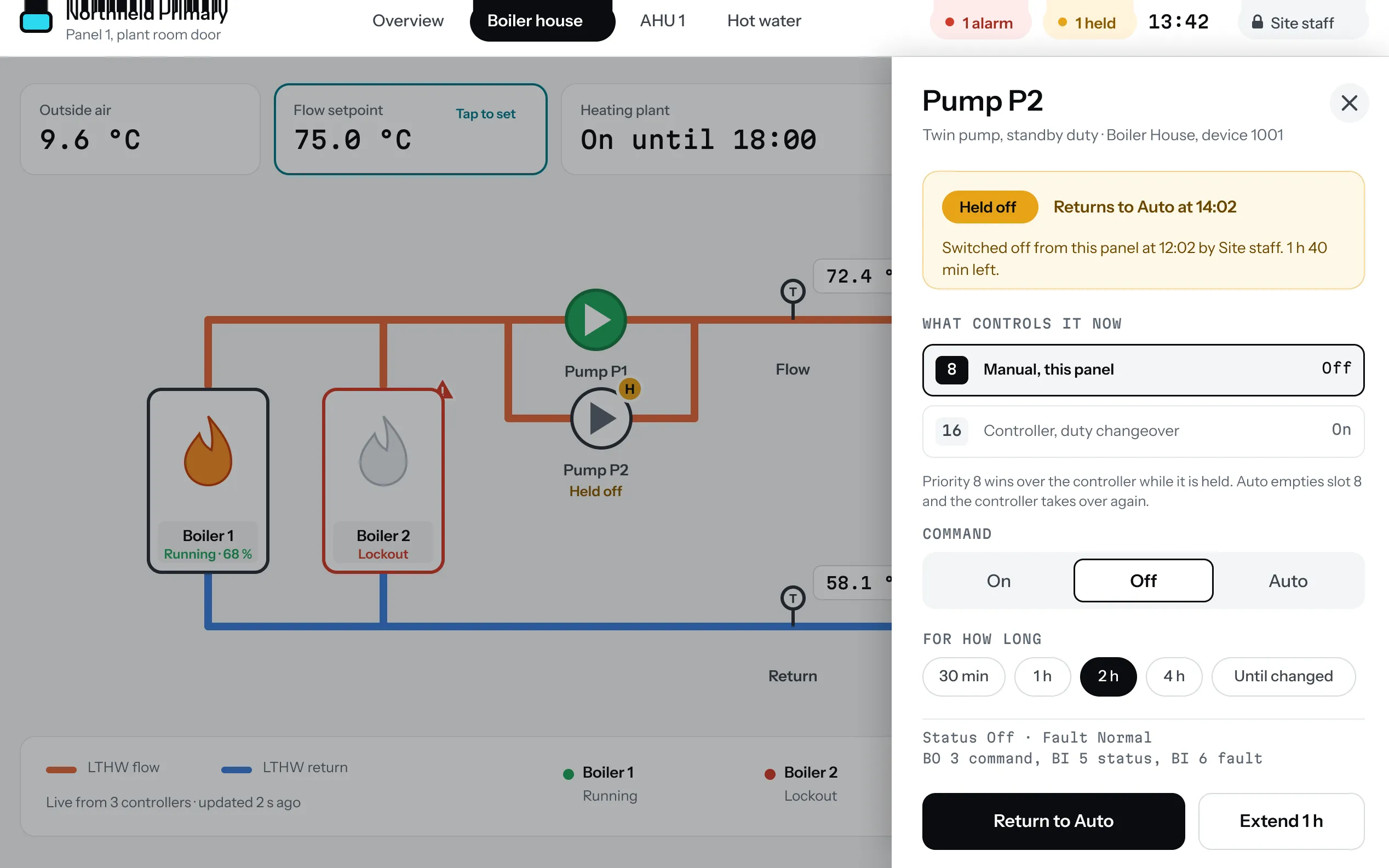
A timed return to Auto.
Choose how long an override holds. When the time ends the screen releases it and the controller goes back to Auto, so nothing is left forced.
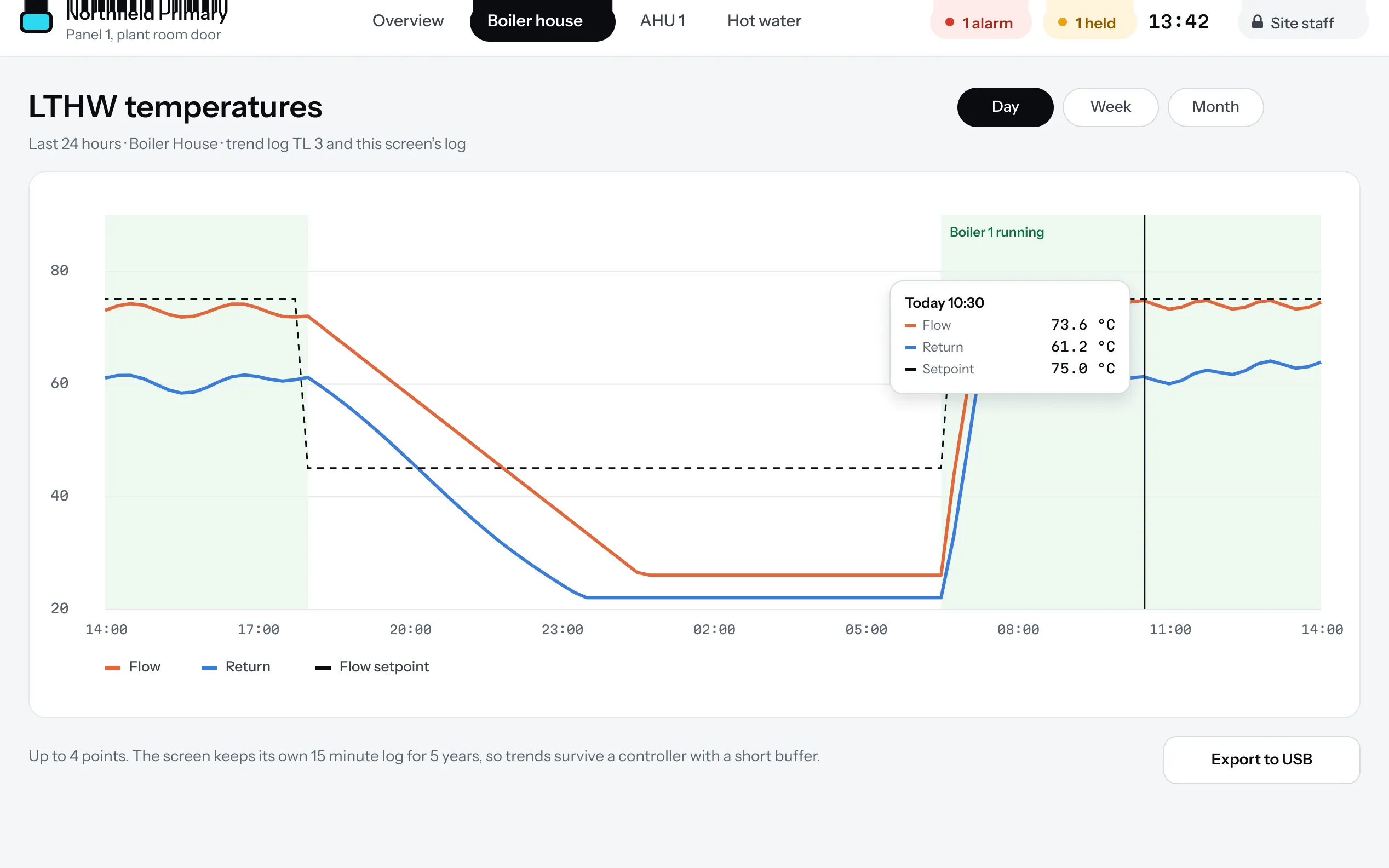
Trends from the screen’s own log.
Day, week or month, up to four points, from a log the screen keeps itself, so trends survive a controller with a short buffer.
The portal
Engineers draw the pages, then send them to screens.
The portal runs in a browser. Drag points onto symbols, preview the page, then deploy it to one screen or many.
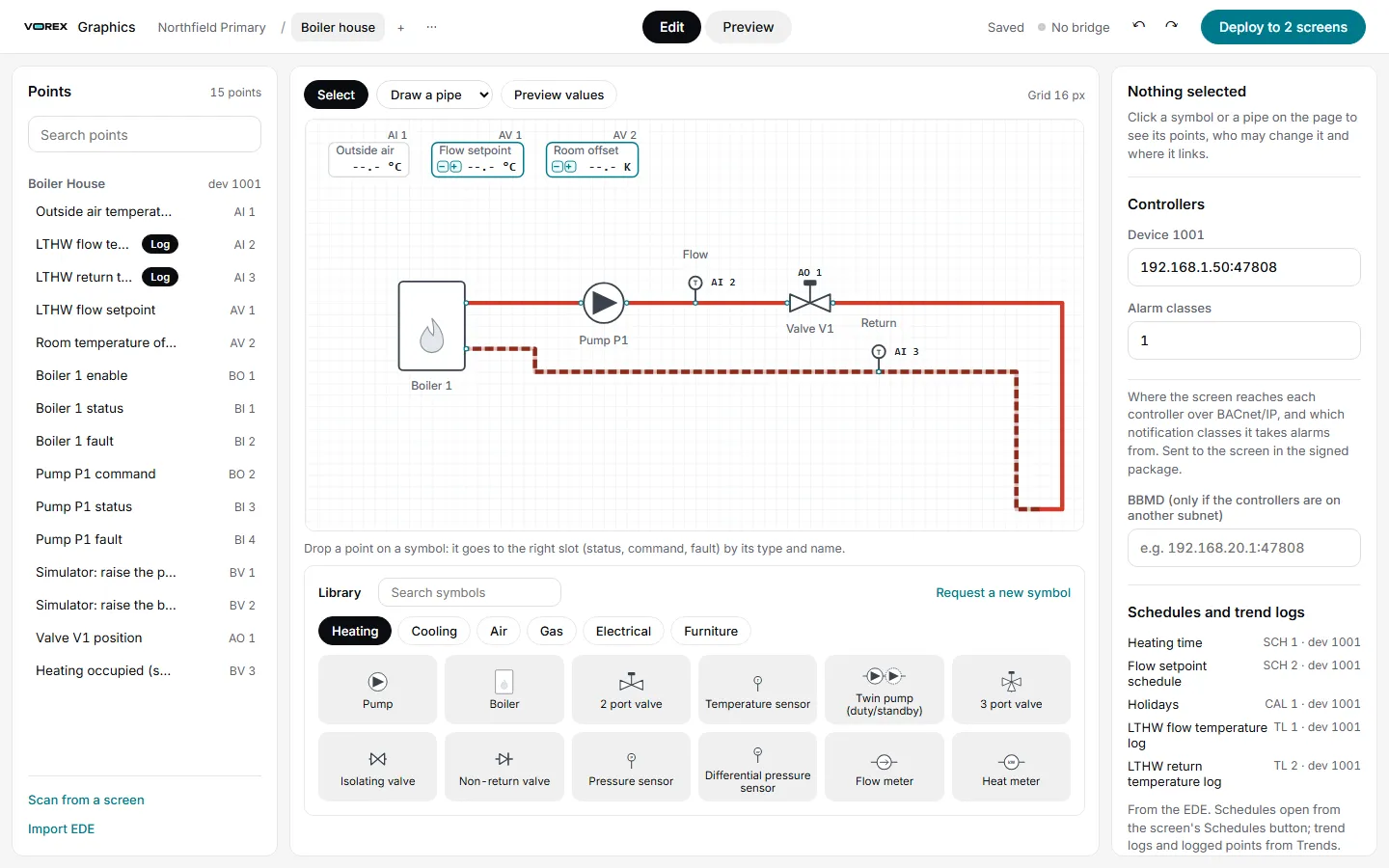
A library of 65 symbols.
Pumps, valves, boilers, heat pumps and sensors, each drawn in the same hand with every state shown by colour and a badge. Missing one? Request it from inside the editor.
Bring the points in.
Import an EDE file, or scan from a screen on site and pick the points you want. Drag each onto a symbol.
Deploy with a safety net.
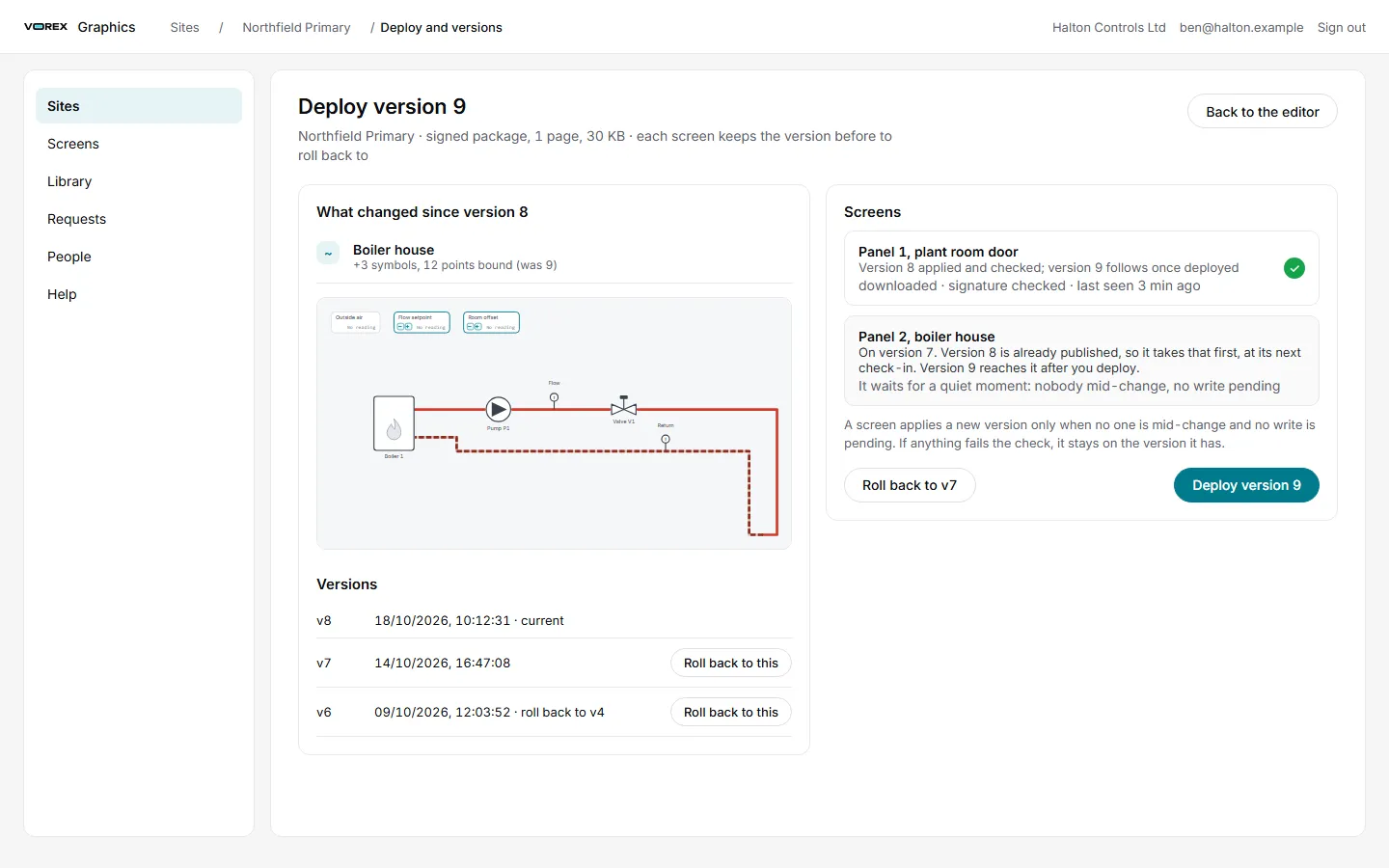
Each deploy is a numbered version. A screen applies it only when nobody is mid-change and no write is pending, and you can roll back to an earlier version.
See every screen.
The screens list shows which are online, which have an update waiting and which have not been seen for a while.
Accounts are by invitation. Vorex approves each request.